Kafka Explained Like You're 5: Events, Partitions, and Consumer Groups
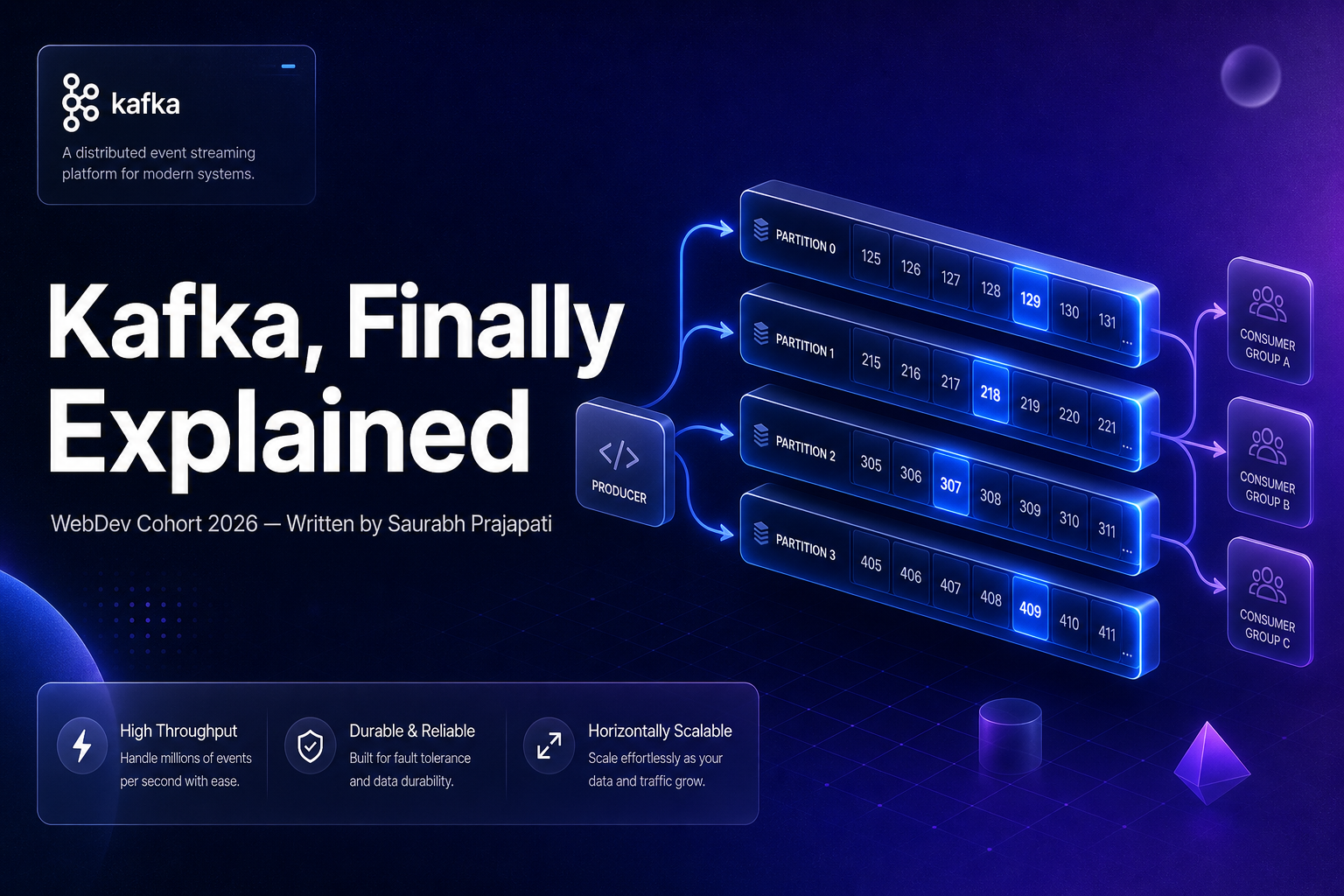
Kafka Explained Like You're 5: Events, Partitions, and Consumer Groups
TL;DR: Kafka is a distributed event streaming platform that decouples producers from consumers using topics and partitions, enabling high-throughput, fault-tolerant, and horizontally scalable data pipelines. By the end of this article, you'll understand not just what each Kafka concept is, but why it exists and how they work together as a system.
Introduction
Here's a question worth sitting with: how does a large application process millions of events every day?
Consider a food delivery platform like DoorDash. Every second, thousands of customers are placing orders, drivers are updating their locations, payments are being processed, restaurants are confirming orders, and push notifications are being sent. Each of these is an event — something that happened in the system. Now imagine trying to coordinate all of that with traditional synchronous API calls. Service A calls Service B, waits for a response, then calls Service C. At low scale, this works fine. At millions of events per day, it becomes a fragile, tightly coupled mess.
This is the problem Kafka was built to solve.
This article is written for backend engineers and system designers who've heard the word "Kafka" in architecture discussions and want to deeply understand it — not just the terminology, but the reasoning behind every design decision. We'll deliberately avoid implementation-level details (configuration tuning, exact API signatures) and instead focus on mental models, architecture, and system design thinking.
Why Systems Need Event Streaming
The Traditional Request-Response Model
In a classic client-server architecture, communication is synchronous. Service A sends a request to Service B and waits for a response before doing anything else. This works well for simple CRUD applications: a user submits a form, the server writes to the database, and returns a 200 OK.
But modern systems are not simple CRUD applications.
Consider what happens when a user places an order on an e-commerce platform:
- The Order Service creates an order record.
- The Inventory Service must decrement stock.
- The Payment Service must charge the card.
- The Notification Service must send a confirmation email.
- The Analytics Service must record the event for business intelligence.
- The Recommendation Engine must update the user's purchase history.
If the Order Service calls each of these synchronously, you get a chain of failure: if the Notification Service is slow or down, the order confirmation blocks. If Analytics is overloaded, the user waits. Every added service makes the system more brittle.
Problems with Tightly Coupled Systems
- Cascading failures: One slow service degrades the entire user experience.
- Scaling mismatches: The Notification Service might need 10x more capacity than the Order Service during flash sales. With direct coupling, you scale them together or suffer.
- Deployment coordination: Changing the Payment Service API requires updating every caller simultaneously.
- Data loss on failure: If a service is down when a request arrives, that event is gone forever.
The Event-Driven Alternative
Instead of Service A calling Service B directly, Service A publishes an event — "an order was placed" — and moves on. Service B, C, D, and E each subscribe to that event and process it independently, at their own pace, in their own time. No waiting. No coupling. No cascading failure.
This is the core idea behind event streaming, and it's why Kafka exists.
Note: Event-driven architecture doesn't eliminate complexity — it shifts it. You trade synchronous coupling for eventual consistency and observability challenges. More on trade-offs later.
What is Kafka?
Apache Kafka was originally built at LinkedIn in 2010 to handle activity stream data — user page views, clicks, search queries — at a scale that no existing tool could handle. It was open-sourced in 2011 and has since become the de facto standard for event streaming.
Kafka is best understood as a distributed, append-only log that acts as a central nervous system for your data. Producers write events to Kafka. Consumers read events from Kafka. Kafka stores those events durably for a configurable retention period — hours, days, or forever.
This is fundamentally different from a traditional message queue (like RabbitMQ), where a message is deleted after it's consumed. In Kafka, events are retained regardless of whether they've been read, which enables a capability traditional queues cannot: replayability. If a new service comes online tomorrow, it can read all historical events from the beginning of time.

How Kafka Differs from Traditional Queues
| Feature | Traditional Queue (RabbitMQ) | Kafka |
|---|---|---|
| Message retention | Deleted after consumption | Retained for a configurable period |
| Consumers | Compete for messages | Each consumer group gets all messages |
| Ordering | Queue-level | Partition-level |
| Replayability | No | Yes |
| Throughput | Moderate | Extremely high (millions/sec) |
| Primary model | Push (broker pushes to consumer) | Pull (consumer polls broker) |
| Scalability | Vertical or clustered | Horizontally via partitions |
The pull model deserves special attention. In Kafka, consumers decide when to fetch events. This gives consumers full control over their processing rate and makes backpressure natural — a slow consumer simply doesn't poll as fast. No broker-side buffering or push-rate tuning required.
Understanding Events
An event is a record of something that happened. It's immutable — you cannot change an event after it occurs, because the past cannot be changed. An event has:
- A key: used for partitioning and ordering (e.g.,
user_id,order_id) - A value: the actual payload (usually JSON or Avro-encoded data)
- A timestamp: when the event occurred
- Headers: optional metadata (e.g., source service, correlation ID)
Here's what a real Kafka event payload might look like for an order placement:
{
  "event_type": "order.placed",
  "event_id": "evt_01H9XK2P3QR7VNJM4T8Y6ZWF",
  "timestamp": "2024-01-15T14:32:11.204Z",
  "version": "1.0",
  "data": {
    "order_id": "ord_7f3a9c1e",
    "customer_id": "usr_4d82b7f1",
    "restaurant_id": "rst_99e12a4c",
    "items": [
      { "item_id": "itm_burger_deluxe", "quantity": 2, "unit_price_cents": 1299 },
      { "item_id": "itm_fries_large", "quantity": 1, "unit_price_cents": 449 }
    ],
    "total_amount_cents": 3047,
    "delivery_address": {
      "street": "742 Evergreen Terrace",
      "city": "Springfield",
      "zip": "62701"
    }
  }
}
The producer is any service that creates and writes events to Kafka. The consumer is any service that reads and processes events. Notice that in this model, the Order Service (producer) doesn't know or care who's listening. The Notification Service, Analytics Service, and Inventory Service are all consumers — they process the same event independently.
This decoupling is the fundamental value proposition of event streaming.
Topics in Kafka
If events are the data, topics are the categories. A Kafka topic is a named, ordered log of events. Think of it like a folder on a filesystem, or a table in a database — it's how you organize events by type.
In a food delivery system, you might have topics like:
orders.placedorders.cancelledpayments.completeddrivers.location.updatednotifications.sentinventory.updated
Multiple producers can write to the same topic. Multiple consumer applications can read from the same topic. This many-to-many relationship is what makes Kafka so powerful for microservices architectures.
Producers                   Topic: orders.placed           Consumers
─────────                   ──────────────────────         ─────────
Order Service  ──writes──►  [ evt1, evt2, evt3, ... ]  ──► Inventory Service
Admin Service  ──writes──►  [ evt1, evt2, evt3, ... ]  ──► Notification Service
                                                        ──► Analytics Service
Tip: Topic naming conventions matter at scale. A common pattern is
{domain}.{entity}.{verb}— e.g.,payments.invoice.created. Consistency here pays dividends when you have hundreds of topics.
Partitions Explained
This is where Kafka's scalability mechanism lives. A topic is divided into partitions — ordered, immutable sub-logs. Each partition is an independent sequence of events, stored on a single broker.
Here's the key insight: partitions are the unit of parallelism in Kafka.
Imagine a topic with 1 partition. All events flow through a single log, processed by a single consumer. Now imagine that topic has 12 partitions. Twelve consumers can process events simultaneously, each handling a subset of the total volume.

How Partitioning Works
When a producer sends an event, Kafka decides which partition it goes to based on the event's key:
- If a key is provided: Kafka hashes the key and assigns it to a consistent partition. All events with the same key always go to the same partition.
- If no key is provided: Kafka distributes events across partitions in a round-robin fashion.
This key-based routing is critical for ordering guarantees. Kafka guarantees ordering within a partition, not across partitions. If you need all events for a given order_id to be processed in order, you set order_id as the key — all events for that order land in the same partition, consumed sequentially.
# Conceptual producer pseudocode
from kafka import KafkaProducer
import json

producer = KafkaProducer(
    bootstrap_servers=['kafka-broker-1:9092', 'kafka-broker-2:9092'],
    value_serializer=lambda v: json.dumps(v).encode('utf-8'),
    key_serializer=lambda k: k.encode('utf-8')
)

order_event = {
    "event_type": "order.placed",
    "order_id": "ord_7f3a9c1e",
    "customer_id": "usr_4d82b7f1",
    "total_amount_cents": 3047,
    "timestamp": "2024-01-15T14:32:11.204Z"
}

# Using order_id as the key ensures all events for this order
# land in the same partition, preserving order.
producer.send(
    topic='orders.placed',
    key='ord_7f3a9c1e',   # partition key
    value=order_event
)
producer.flush()
Partitions and Scaling
How many partitions should a topic have? More partitions = more parallelism, but also more overhead. A common rule of thumb: partition count should be at least equal to the number of consumers you plan to run in parallel. You can always increase partitions later, but you cannot decrease them without recreating the topic.
Warning: Increasing partition count for a keyed topic changes which partition keys route to. If you're relying on key-based ordering across a consumer group, adding partitions mid-stream can break your ordering guarantees for existing keys until the cluster re-stabilizes.
Why Kafka Is Fast
Kafka's throughput is legendary — LinkedIn reported handling over 1.4 trillion messages per day. The performance comes from several architectural decisions:
Sequential Disk Writes
Random disk I/O is slow. Sequential disk I/O is nearly as fast as memory. Kafka writes events sequentially to the end of partition log files — it never updates existing records in place. Modern SSDs can sustain 500MB/s+ of sequential write throughput, and Kafka exploits this fully.
Zero-Copy Transfer
When consumers read data, Kafka uses the OS sendfile() syscall to transfer data directly from the disk file descriptor to the network socket, bypassing application memory entirely. This "zero-copy" optimization dramatically reduces CPU overhead for high-throughput reads.
Batching
Both producers and consumers operate in batches. Producers accumulate events and send them in bulk. Consumers fetch batches of events per poll cycle. Batching amortizes network round-trip costs across many events.
Log Compaction
For topics that represent the latest state of a key (e.g., a user's current address), Kafka can compact the log — retaining only the most recent event per key. This keeps storage bounded without sacrificing the replayability guarantee.
Consumer Groups
Consumer groups are the most misunderstood concept in Kafka. Let's get this right.
A consumer group is a set of consumers that collectively read from a topic. Each partition is assigned to exactly one consumer within the group at any given time. Across different consumer groups, all groups independently receive all events.
flowchart LR
    T["Topic: orders.placed\n(4 partitions)"]
    T --> P0[Partition 0]
    T --> P1[Partition 1]
    T --> P2[Partition 2]
    T --> P3[Partition 3]

    subgraph CG1["Consumer Group: inventory-service"]
        C1A[Consumer 1]
        C1B[Consumer 2]
    end

    subgraph CG2["Consumer Group: notification-service"]
        C2A[Consumer A]
        C2B[Consumer B]
        C2C[Consumer C]
        C2D[Consumer D]
    end

    P0 --> C1A
    P1 --> C1A
    P2 --> C1B
    P3 --> C1B

    P0 --> C2A
    P1 --> C2B
    P2 --> C2C
    P3 --> C2D
Notice what's happening in the diagram above:
- The
inventory-serviceconsumer group has 2 consumers reading a 4-partition topic. Each consumer handles 2 partitions. - The
notification-serviceconsumer group has 4 consumers, each handling exactly 1 partition. - Both groups independently receive all events from all 4 partitions.
The Work Distribution Rule
Kafka enforces one critical constraint: within a consumer group, a partition is assigned to at most one consumer. This prevents duplicate processing within a group.
Consequences:
- If you have 4 partitions and 4 consumers in a group → perfect 1:1 assignment, maximum parallelism.
- If you have 4 partitions and 2 consumers → each consumer handles 2 partitions.
- If you have 4 partitions and 6 consumers → 4 consumers are active, 2 sit idle. You cannot exceed partition count with useful consumers.
- If a consumer crashes → Kafka rebalances the group, redistributing its partitions to remaining consumers within seconds.
This rebalancing is Kafka's fault tolerance mechanism. No event is lost, no partition goes unread.
# Conceptual consumer pseudocode — a real consumer group member
from kafka import KafkaConsumer
import json

consumer = KafkaConsumer(
    'orders.placed',
    bootstrap_servers=['kafka-broker-1:9092', 'kafka-broker-2:9092'],
    group_id='inventory-service',          # consumer group ID
    auto_offset_reset='earliest',          # start from beginning if no committed offset
    enable_auto_commit=False,             # manual offset commit for reliability
    value_deserializer=lambda m: json.loads(m.decode('utf-8'))
)

for message in consumer:
    order_event = message.value
    partition = message.partition
    offset = message.offset

    print(f"[Partition {partition}][Offset {offset}] Processing order: {order_event['order_id']}")

    # Process the event
    try:
        decrement_inventory(order_event['items'])
        # Commit offset only after successful processing
        consumer.commit()
    except Exception as e:
        print(f"Failed to process order {order_event['order_id']}: {e}")
        # Don't commit — event will be reprocessed on next poll
        raise
Note:
enable_auto_commit=Falseis a best practice for reliability. Auto-commit can mark an event as processed before your application has actually handled it, leading to silent data loss on crashes.
Consumer Offsets
Kafka tracks progress per consumer group using offsets — the position of the last successfully processed event in a partition. Offsets are stored in a special internal Kafka topic called __consumer_offsets. When a consumer restarts or a rebalance occurs, it picks up from the last committed offset, guaranteeing at-least-once delivery.
Kafka Architecture
A Kafka cluster consists of:
- Brokers: Kafka server processes. Each broker stores some partitions and handles produce/consume requests. A cluster typically has 3–12+ brokers.
- ZooKeeper / KRaft: Manages cluster metadata, broker leadership election. Modern Kafka (2.8+) is migrating to KRaft (Kafka Raft), eliminating the ZooKeeper dependency.
- Producers: Client applications that write events.
- Consumers: Client applications that read events.
- Schema Registry: (Optional, Confluent) Manages Avro/JSON/Protobuf schemas for event validation.

Each partition has a leader broker and zero or more replica brokers. All reads and writes go through the leader. Replicas stay in sync and take over if the leader fails. This replication factor (typically 3) is what makes Kafka durable — even if two brokers crash simultaneously, the cluster keeps running.
# Check partition leaders and replicas for a topic
kafka-topics.sh \
  --bootstrap-server kafka-broker-1:9092 \
  --describe \
  --topic orders.placed

# Expected output:
# Topic: orders.placed  PartitionCount: 4  ReplicationFactor: 3
# Topic: orders.placed  Partition: 0  Leader: 2  Replicas: 2,0,1  Isr: 2,0,1
# Topic: orders.placed  Partition: 1  Leader: 0  Replicas: 0,1,2  Isr: 0,1,2
# Topic: orders.placed  Partition: 2  Leader: 1  Replicas: 1,2,0  Isr: 1,2,0
# Topic: orders.placed  Partition: 3  Leader: 2  Replicas: 2,1,0  Isr: 2,1,0
The Isr (In-Sync Replicas) column shows which replicas are caught up with the leader. A message is considered durable only when it's replicated to all ISR members.
Real-World Applications of Kafka
Analytics Pipelines
Netflix, Uber, and LinkedIn all use Kafka as the ingestion layer for their analytics infrastructure. User events (page views, clicks, search queries) flow into Kafka topics and are consumed by Flink or Spark jobs that compute real-time dashboards and feed data warehouses.
Payment Processing
Payment events require strict ordering and zero data loss. A payments.initiated topic fans out to fraud detection, ledger update, and notification services — each running as independent consumer groups, each processing at their own pace, with the fraud detection group given the highest priority and dedicated resources.
Microservices Communication
Instead of REST calls between 20 microservices, each service publishes domain events to Kafka. A users.profile.updated event triggers cache invalidation, recommendation model updates, and audit logging — all without the User Service knowing any of those systems exist.
Activity Tracking
Social media platforms publish billions of events daily: likes, comments, follows, shares. Kafka absorbs this firehose and routes it to multiple consumers: the notification service, the feed ranking algorithm, the analytics warehouse, and the abuse detection pipeline.
Trade-offs & Pitfalls
| Challenge | Description | Mitigation |
|---|---|---|
| Ordering across partitions | Kafka only guarantees per-partition order | Route related events to the same partition via key |
| At-least-once delivery | Consumer failure can cause reprocessing | Design consumers to be idempotent |
| Rebalancing latency | Adding/removing consumers triggers rebalance (seconds of pause) | Use static group membership, tune session.timeout.ms |
| Schema evolution | Changing event shape breaks consumers | Use Schema Registry with backward-compatible schemas |
| Operational complexity | Cluster management, topic design, monitoring | Use managed Kafka (Confluent Cloud, MSK, Aiven) |
| Too many partitions | Increases broker overhead and rebalance time | Benchmark before over-partitioning; 12–24 is often enough |
| Message ordering + exactly-once | Hard to guarantee | Use Kafka Transactions (producer idempotency + atomic writes) |
Warning: Kafka is not a database, an RPC layer, or a job scheduler. Teams that use it as a synchronous request-response mechanism end up with a slower, more complex REST API. Know when Kafka is the right tool.
Best Practices
Design idempotent consumers. Assume you'll process the same event more than once. Use natural idempotency keys (order IDs, payment IDs) to prevent duplicate side effects.
Use meaningful, consistent topic names. Establish a convention (
domain.entity.verb) and enforce it via naming policies. Topic sprawl becomes unmaintainable at scale.Set retention based on replayability needs. Default 7-day retention is often too short for audit requirements. Evaluate per-topic, not globally.
Don't let consumers fall too far behind. Consumer lag (the gap between the latest event and the consumer's position) is your most important operational metric. Alert on it aggressively.
Partition count = maximum consumer parallelism. Choose partition count at topic creation time based on your expected throughput ceiling. Start at 6–12 for high-volume topics.
Use Schema Registry. Encoding event schemas in Avro or Protobuf and registering them prevents silent data corruption when teams evolve their event shapes independently.
Monitor the full pipeline. Track producer send rate, broker disk usage, consumer lag, and rebalance frequency. These four metrics surface 90% of production issues.
Prefer managed Kafka for early-stage systems. Confluent Cloud and AWS MSK eliminate 80% of operational burden. Self-host only when cost or compliance demands it.
Conclusion
Kafka's design philosophy is elegant once you see the full picture. Events are immutable facts about what happened. Topics organize those facts by domain. Partitions give you horizontal scale and controlled ordering. Consumer groups let independent services read the same stream without interfering with each other — and give you fault tolerance and elastic scaling for free.
The critical insight is that Kafka's value isn't just in "handling high throughput" — it's in the decoupling it enables. When the Order Service publishes an event and moves on, it doesn't know about the Notification Service, the Analytics Pipeline, or the Recommendation Engine. New consumers can be added without touching the producer. Existing consumers can be scaled independently. The system grows without coordination.
Your immediate next step: sketch the event model for one flow in your current system. Identify the producers, the events, the natural topic boundaries, and who the downstream consumers are. That exercise alone will clarify your architecture more than any library choice or configuration decision.
Further Reading
- Apache Kafka Documentation — The official docs are genuinely well-written, especially the design section.
- Kafka: The Definitive Guide (O'Reilly) — The most comprehensive reference on Kafka internals and operations.
- Confluent Developer Portal — Hands-on tutorials, event streaming patterns, and schema design guides.
- The Log: What Every Software Engineer Should Know About Real-Time Data — Jay Kreps' foundational essay on why the append-only log is the most important data structure in distributed systems.
- Designing Event-Driven Systems (Ben Stopford, O'Reilly) — Free PDF from Confluent; excellent on event-driven architecture patterns with Kafka.